Skip navigation
Logo

HubSpot developer

HubSpot Content Hub,
built the way your marketing team actually works.

Custom themes, editor-friendly modules, CRM integrations, and templates that ship with SEO and accessibility already handled — not promised for “phase two.”

What you get

Four things I optimize for on every HubSpot build.

  • 01

    Modules a marketer can actually edit

    Every module ships with sensible defaults, inline help text, and field labels written in plain English. Drag, drop, change a heading, swap an image — no tickets filed.

    • Clear field groups, not 40 ungrouped inputs
    • Inline help + example content per field
    • Design system in HubSpot fields
    • Style choices exposed as dropdowns, not raw CSS
  • 02

    Update the whole site without a developer

    Theme tokens for color, type, and spacing live in HubSpot settings. Global modules for header, footer, and CTAs. Page templates that compose, not lock you in.

    • Theme settings wired to brand tokens
    • Global content for nav, footer, banners
    • Drag-and-drop sections with safe guardrails
  • 03

    Your site and CRM, actually connected

    Your website, forms, and CRM working as one system — data captured once, in the right place, flowing where it needs to go automatically.

    • Data captured once, in the right place
    • HubSpot kept in sync with the tools you already use
    • Custom objects and API syncs, built to last
  • 04

    SEO & accessibility built in, not bolted on

    Semantic HTML, real heading hierarchy, alt text fields on every image module, focus states that work. Lighthouse scores you can show your CMO without flinching.

    • WCAG 2.1 AA targeted on every module
    • Core Web Vitals budgets per template
    • Schema.org markup wired into content types

HubSpot is most of what I do — but not all of it. If your project also needs React, Next.js, a migration, or ongoing support, see my full range of services.

Migrations

Moving to HubSpot without losing what works.

WordPress, Webflow, Drupal, or a legacy CMS — migrated into HubSpot with the content modelled properly, not just pasted in. Rankings kept, structure improved.

  • 01

    Content mapped to the right structure

    Your existing content doesn't just become pages — it's mapped into HubDB tables or custom objects where it belongs, so it's filterable, reusable, and ready to power dynamic pages.

    • Structured content into HubDB or custom objects
    • Dynamic pages from migrated data
    • Clean taxonomies, not flattened pages
  • 02

    When the standard import isn't enough

    HubSpot's built-in blog import handles the simple cases. When it doesn't — odd markup, custom fields, thousands of posts — I write custom migration scripts to extract your content cleanly and bring it across with formatting and metadata intact.

    • Custom extraction for content the importer chokes on
    • Formatting, images, and metadata preserved
    • Bulk migrations that would take weeks by hand
  • 03

    Rankings kept, redirects covered

    A migration is where SEO usually leaks. Full redirect mapping, preserved URL structure where it matters, and metadata carried across — so traffic recovers fast instead of falling off a cliff.

    • 100% redirect coverage, mapped old → new
    • Meta titles, descriptions, and canonicals preserved
    • Post-launch monitoring as rankings settle

Examples

Inside the build

Module fields, workflows, custom objects, and design system settings — pulled straight from the portals.

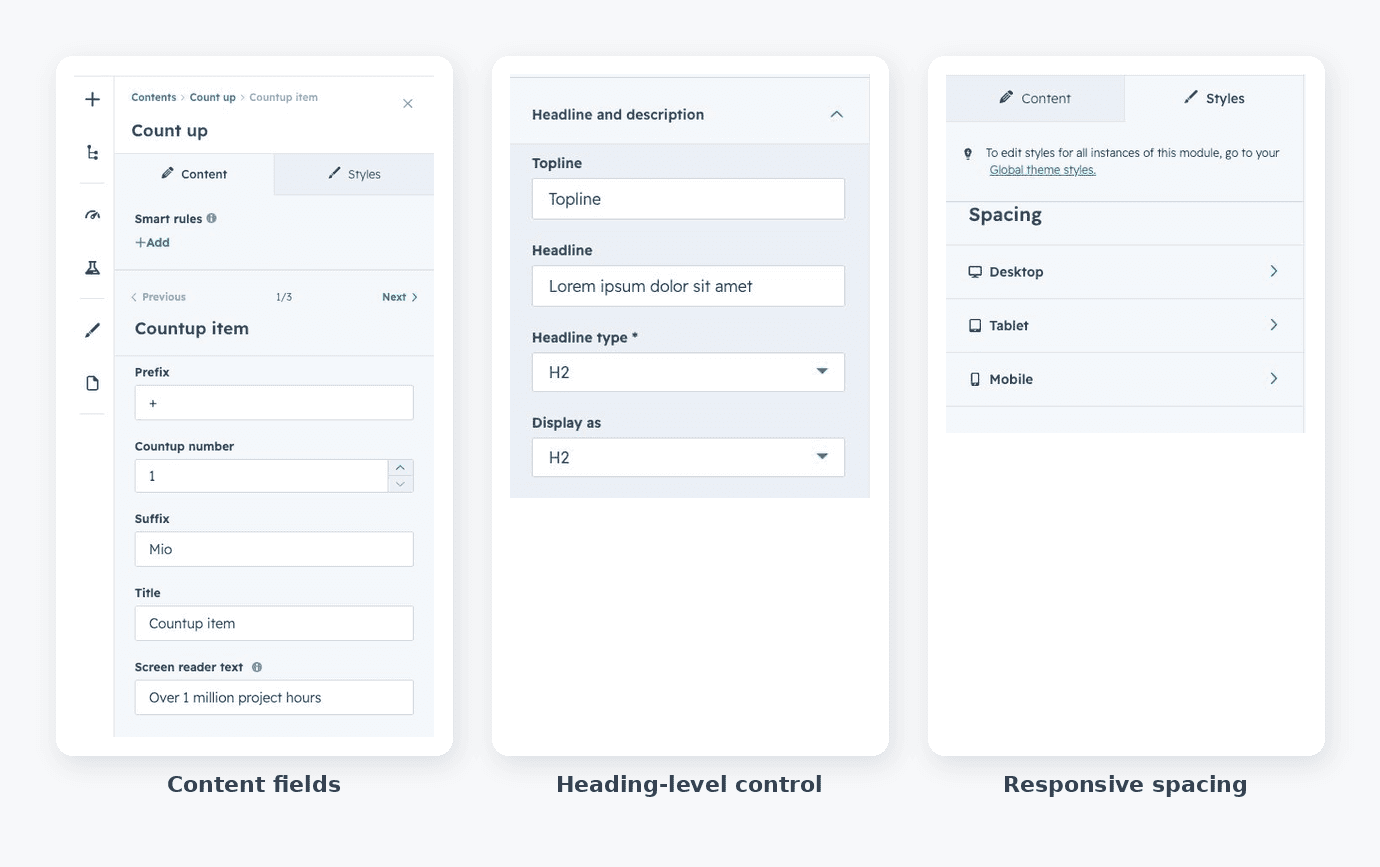
  • HubSpot custom module editor showing grouped and repeatable field types in a field group

    Custom modules with well-designed field groups

    HubSpot custom module fields showing repeatable content fields, heading-level controls, responsive spacing, and accessibility text

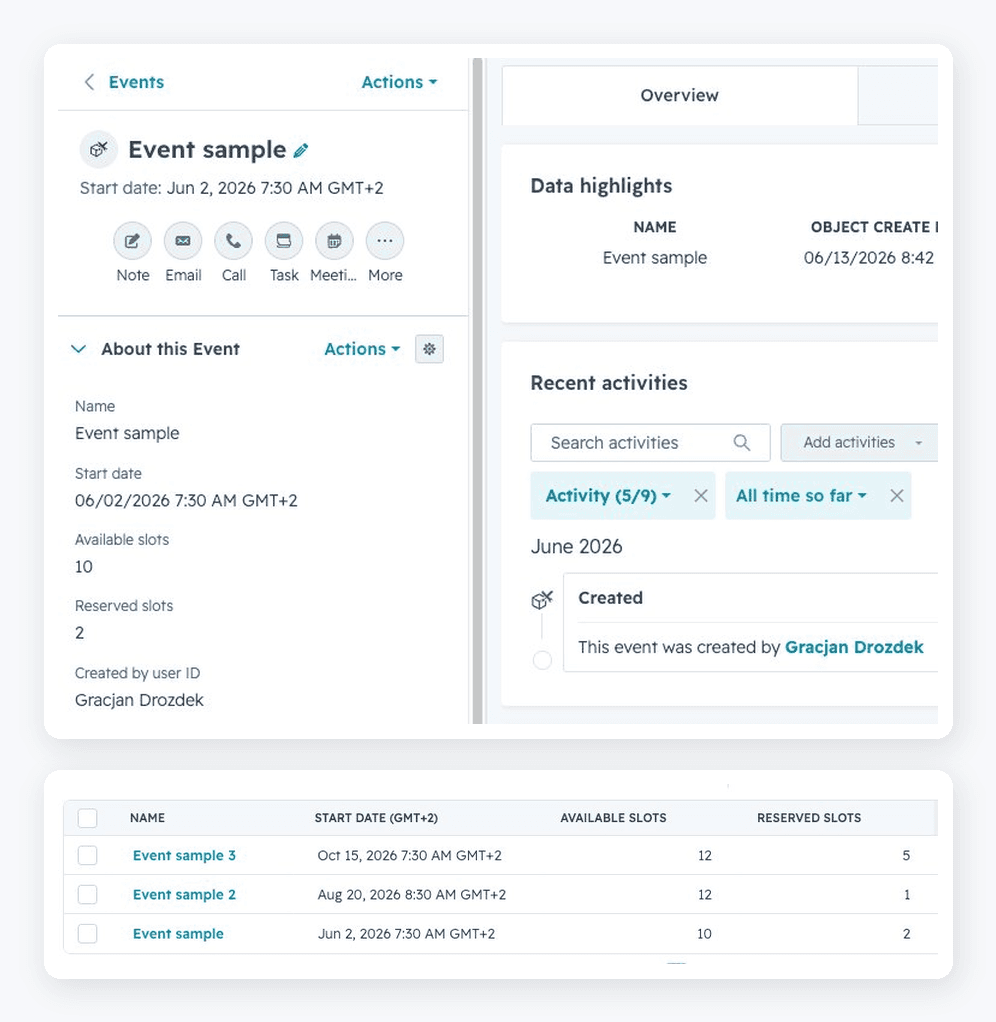
  • HubSpot custom Event object showing a records list and a single record's custom properties

    Custom objects

    Modelling the business in HubSpot itself — a custom Event object with its own properties, records, and slot tracking, so the data lives where the CRM can actually use it. Structure that holds up as things scale.

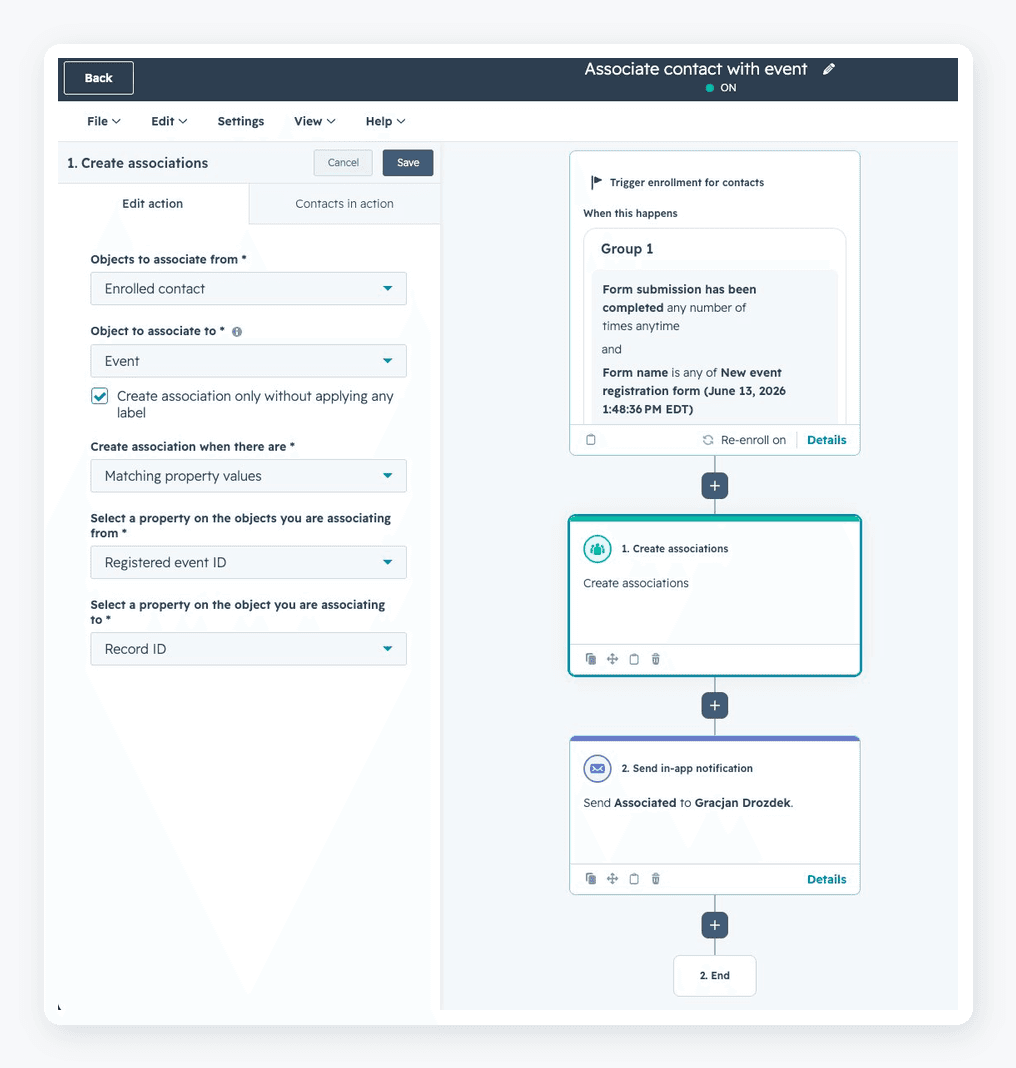
  • HubSpot workflow associating an enrolled contact with a custom Event object by matching property values

    Workflow — linking contacts to custom objects

    Real automation, not just email sends — here a form submission auto-associates each contact with a custom Event object, matched on registered event ID. The data-model work that keeps a CRM clean as it scales.

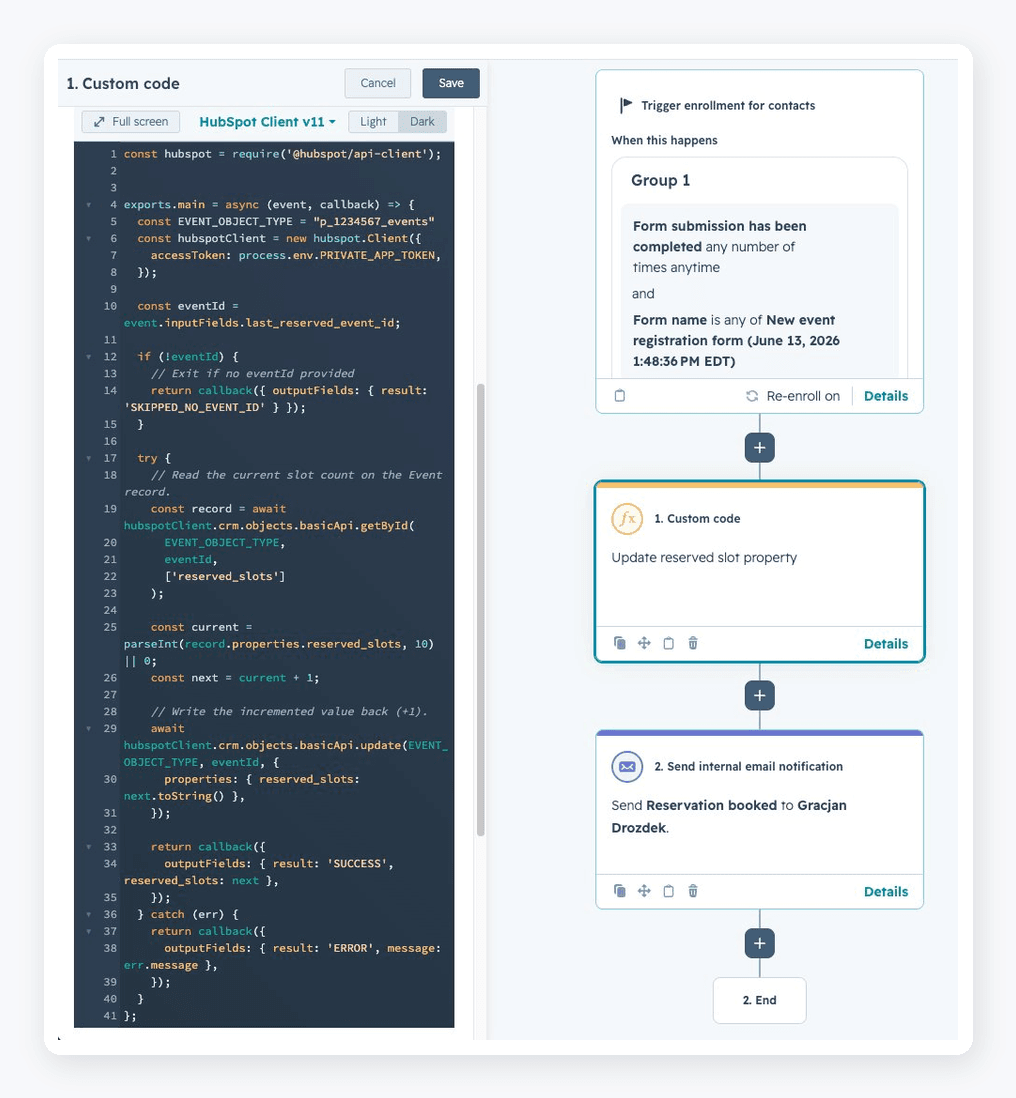
  • HubSpot custom code calling the API to update a custom object property based on a contact property

    Custom API logic

    Where no-code stops, code starts — a custom action that reads a contact's last reserved event, finds the matching Event object via the HubSpot API, and increments its reserved-slot count. The cross-object logic standard workflows can't reach.

Next step

Got a HubSpot project? Let's talk for 30 minutes.

No deck, no sales script. Tell me what you're building — I'll tell you honestly whether I'm the right person for it.

Start a conversation